BlackStork configuration language #
The BlackStork configuration language provides the declarative syntax used to build document templates. It allows you to express data requirements, configurations, and document layout directly in code.
Templates act as execution blueprints. When evaluated, the BlackStork engine parses these files to determine which external systems to query, how to process the returned data, and how to structure the final rendered document.
BlackStork configuration files use the .blackstork.hcl extension. A project can consist of a single file or a directory containing multiple configuration files.
Core concepts #
The BlackStork language is built on top of the HashiCorp Configuration Language (HCL). If you have used tools like Terraform, the syntax will be immediately familiar.
Configurations are built using two fundamental elements:
- Blocks: containers that define objects, such as global configuration, data requirements, or content structures. Blocks include a block type and can include labels.
- Arguments: key-value pairs defined within blocks that assign specific values to block’s attributes.
# Structure of a named data block:

<BLOCK-TYPE> <PLUGIN> "<BLOCK-NAME>" {
    <ARGUMENT> = <VALUE>
}

# Example of a named data block :

data elasticsearch "alerts" {
    index = ".alerts-security.alerts-*"
    query_string = "kibana.alert.severity:critical"
}

# Structure of an anonymous data source configuration block:

<CONFIG> <BLOCK-TYPE> <DATA-SOURCE> {
    <ARGUMENT> = <VALUE>
}

# Example of an anonymous data source configuration block:

config data elasticsearch {
    cloud_id = "my-elastic-cloud-id"
    api_key  = "my-elastic-cloud-api-key"
}
See Syntax for detailed rules on writing BlackStork configurations.
IDE support #
Because BlackStork files use the .hcl extension, basic syntax highlighting will work automatically in almost all modern IDEs if you have standard HashiCorp/Terraform plugins installed.
However, because BlackStork templates heavily utilize embedded JQ queries and Go templates, we maintain dedicated editor extensions to provide advanced syntax highlighting for these embedded languages.
Visual Studio Code #
We maintain the vscode-blackstork extension for VS Code. This extension provides native HCL syntax support combined with strict highlighting for embedded JQ strings and Go templates, making complex document structures easier to read.
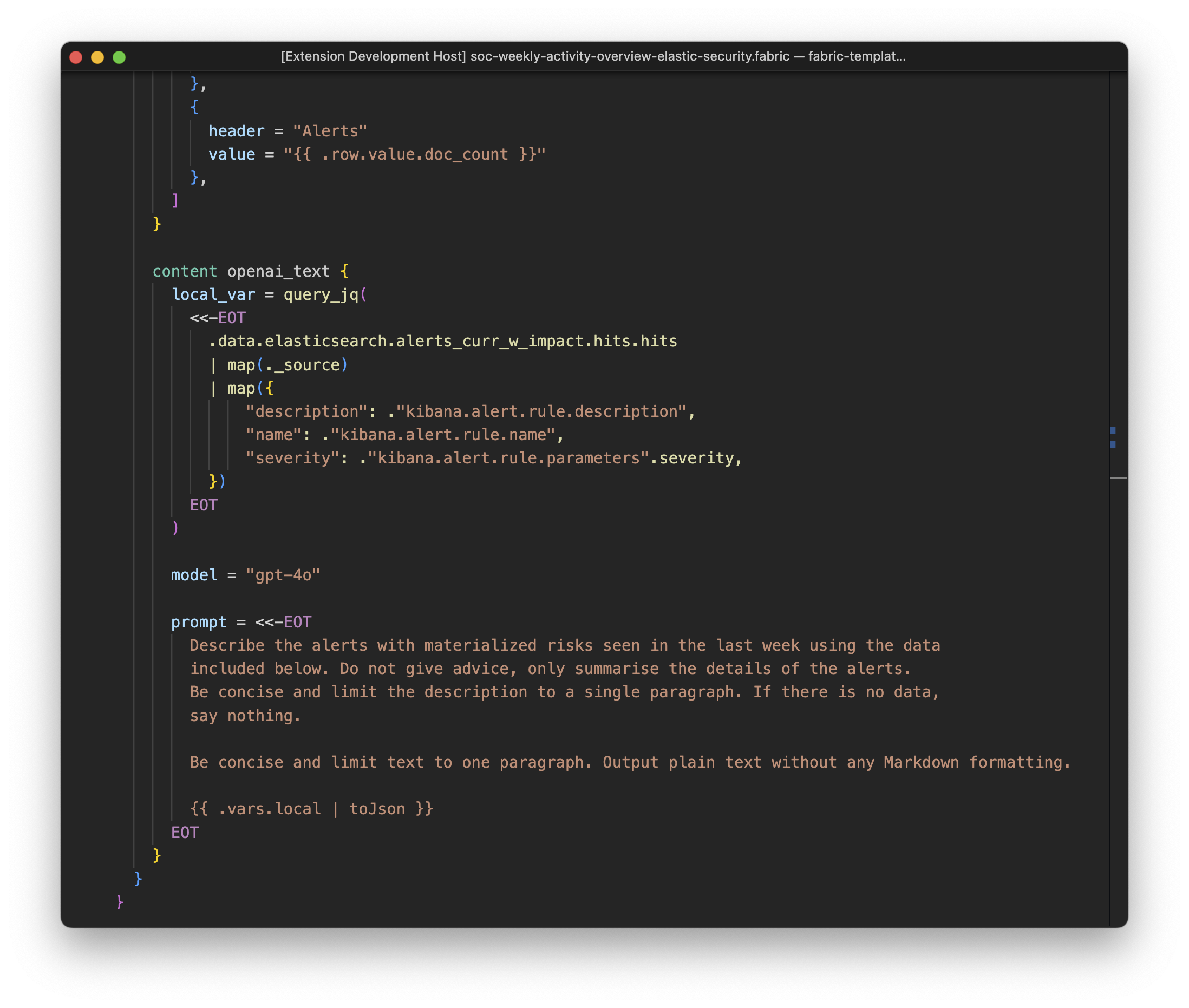
Installation instructions are available in the extension’s README.
Neovim #
For Neovim users, we maintain blackstork.nvim. The plugin uses a BlackStork-specific tree-sitter dialect extending the standard tree-sitter-hcl parser.
It brings accurate code highlighting to embedded JQ queries and Go template blocks within your .blackstork.hcl files.
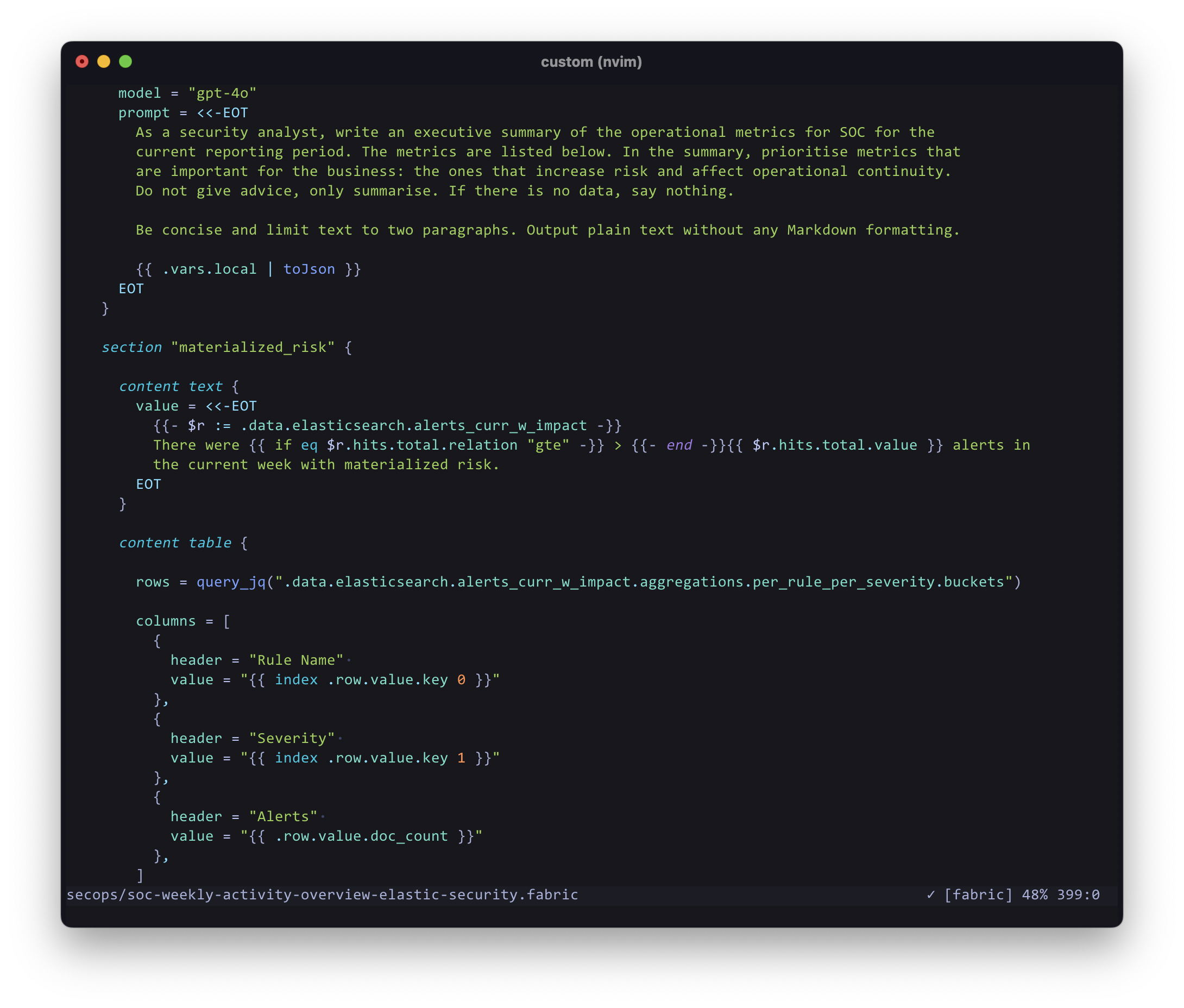
Installation instructions are available in the plugin’s README.
Next steps #
See Syntax to learn the core syntax components of the language.